Announcement

Collapse
No announcement yet.

I need a cheap photo editing program

Collapse
X
 
  • Filter
  • Time
  • Show
Clear All
new posts

    I need a cheap photo editing program

    Anyone know of a good photo editing software that just reduces the size of pics? I accidentally took some in 3M format and now photobucket won't allow me to upload them b/c they're too big

    member's ride thread
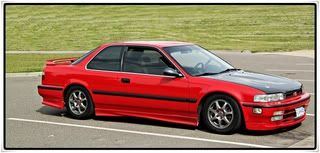
    93' EX Coupe H22A w/ P2T4 Sir 5spd 191whp 155 wtq
    99' Lexus LS400 157k VVTi V8 gets up & goes...new DD
    91 Accord SE 176k
    97' Honda Odyssey 199k miles...$485 spare van for my parents

    #2
    go to www.download.com.

    search for magix pic. Its a free soft ware and its awesome.

    Comment


      #3
      irfanview.. i dont remember wat site i got it from but you can google it

      Comment


        #4
        yeah b/c right now I've got this JASC Photo Album on my Dell, but it expired, so now doesn't work anymore. They want 30 bucks for an online version.

        member's ride thread
        93' EX Coupe H22A w/ P2T4 Sir 5spd 191whp 155 wtq
        99' Lexus LS400 157k VVTi V8 gets up & goes...new DD
        91 Accord SE 176k
        97' Honda Odyssey 199k miles...$485 spare van for my parents

        Comment


          #5
          well i have Corel Paint Shop Pro 11 i could upload for you somewhere since it's not too big of a file.

          Comment


            #6
            Forgot to tell you, Google has Picasa, seems to work well.

            Comment


              #7
              find a iso of photoshop?

              Comment


                #8
                Originally posted by Leung View Post
                well i have Corel Paint Shop Pro 11 i could upload for you somewhere since it's not too big of a file.
                hmmm where would you upload it to? or can you send it directly to me somehow?

                member's ride thread
                93' EX Coupe H22A w/ P2T4 Sir 5spd 191whp 155 wtq
                99' Lexus LS400 157k VVTi V8 gets up & goes...new DD
                91 Accord SE 176k
                97' Honda Odyssey 199k miles...$485 spare van for my parents

                Comment


                  #9
                  GIMP

                  /end

                  Comment


                    #10
                    Yup, Gimp is the way to go. It gave me my first experience with a PS software and I learnt alot playing around with it. I would say its the best free PS software out there.
                    1993 Accord LX - Sold
                    93 BMW 525it - SOLD
                    92 Accord EX Sedan - SOLD
                    2000 Accord Coupe - Traded-In
                    2003 Accord V6 6spd Coupe - Sold
                    2001 Honda Civic Ex - SOLD
                    2013 Chevy Traverse LTZ - Kid hauler
                    2003 Acura Tl 3.2 - Daily Commuter

                    Comment


                      #11
                      Originally posted by Phempa View Post
                      GIMP

                      /end
                      cool! thanks man! it worked. Okay but one question. How do i change the size of the image to under 1MB? right now its 1.91MB and thats too big. Where do i click and all?
                      Last edited by Losiracer2; 07-20-2008, 07:18 AM.

                      member's ride thread
                      93' EX Coupe H22A w/ P2T4 Sir 5spd 191whp 155 wtq
                      99' Lexus LS400 157k VVTi V8 gets up & goes...new DD
                      91 Accord SE 176k
                      97' Honda Odyssey 199k miles...$485 spare van for my parents

                      Comment


                        #12
                        Open GIMP
                        Open the image (Ctrl + o)
                        Scale the image (Image > Scale Image...)
                        --- making sure to keep your aspect ratio locked so the image doesn't get distorted
                        Save the image (Shift + Ctrl + s) Save As... (don't save over original)
                        --- name it and choose the folder location you want, and expand the "Select File Type (by extension)" section. Select "JPEG Image" and hit Save. Bring the quality down on the next box that comes up. How far you want to compress it depends on how small you want the file size. Keep in mind, the lower the quality, the more jpeg artifact you will see.

                        JPEG is much like MP3. It's a compressed (lossy) version of the original.

                        Comment


                          #13
                          there you go, everything you need for photo editting.

                          when you click on that, if you can't read the language, just look for the Brittish flag and it'll change the text to english. it's just under 200megs.
                          Last edited by Leung; 07-20-2008, 10:11 AM.

                          Comment


                            #14
                            Originally posted by Leung View Post


                            there you go, everything you need for photo editting.

                            when you click on that, if you can't read the language, just look for the Brittish flag and it'll change the text to english. it's just under 200megs.
                            remove the link. it's a direct download of pi.rat-ed software

                            that can get deev in some trouble.

                            Comment


                              #15
                              sorry

                              Comment

                              Working...
                              X